Home Projects, Games, Codes and Discord Bot Podcasts, Collabs and Contributions Upcoming and Ongoing Services The Friend's Blog Resources, Trello and Gear About Contact

The best resources Fishy provides. Each section provides links and tools. Some links are from referral sources.

Students, need a little Trello help? Our beginners uses Trello to manage tasks and workload efficently.

If you haven't already, for those who are in touch with me, (Fishy) I have already granted access to our Trello board where we can add our projects there. Not added to Fishy's board and have permission by me? Please contact Fishy and let me know. Otherwise, for our other viewers, Want to know how to add users yourself?

Adding Users to a Trello Board:
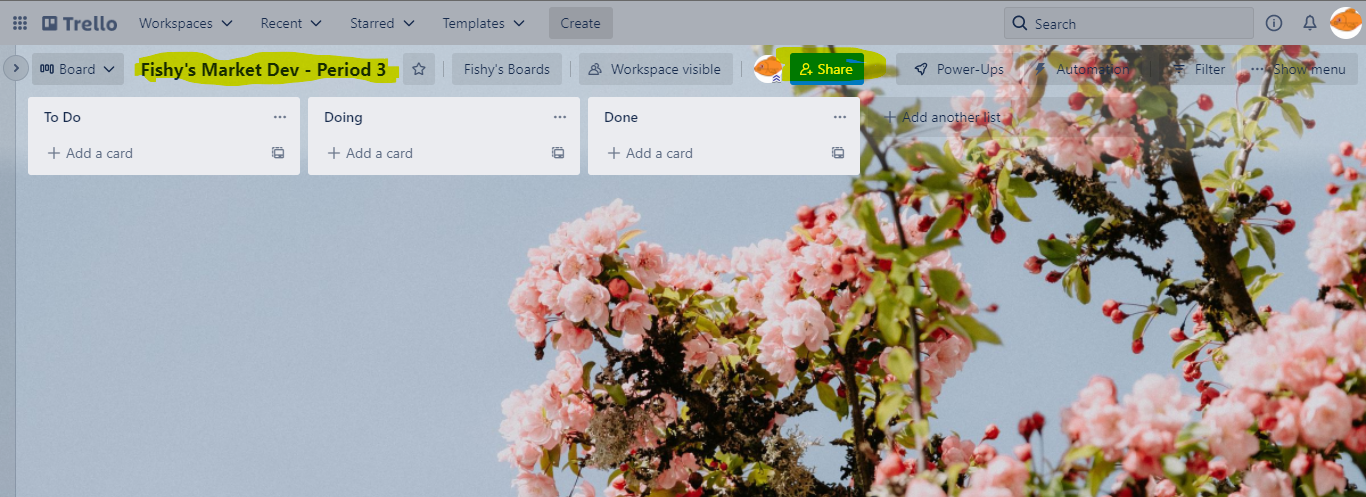
  • If you haven't created a Trello board, make sure to add a unique name for your board.
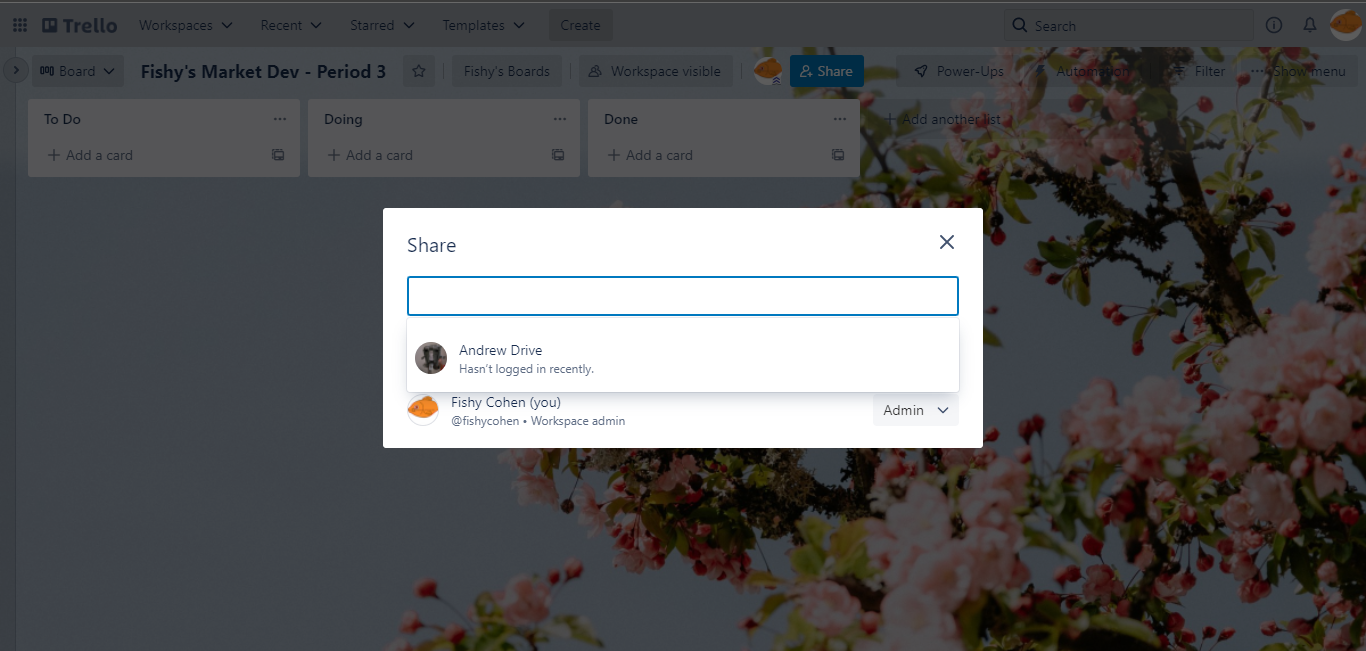
  • Once you added a board, there will be a bunch of icons. Look for the blue share icon.
  • Once a invite section pops up, make sure to add the user's email or name and once you find the correct user, add it to your board.
  • Once you have shared your board with your friend, let them know you added them to your board and start collaborating with your team on your Trello board.